
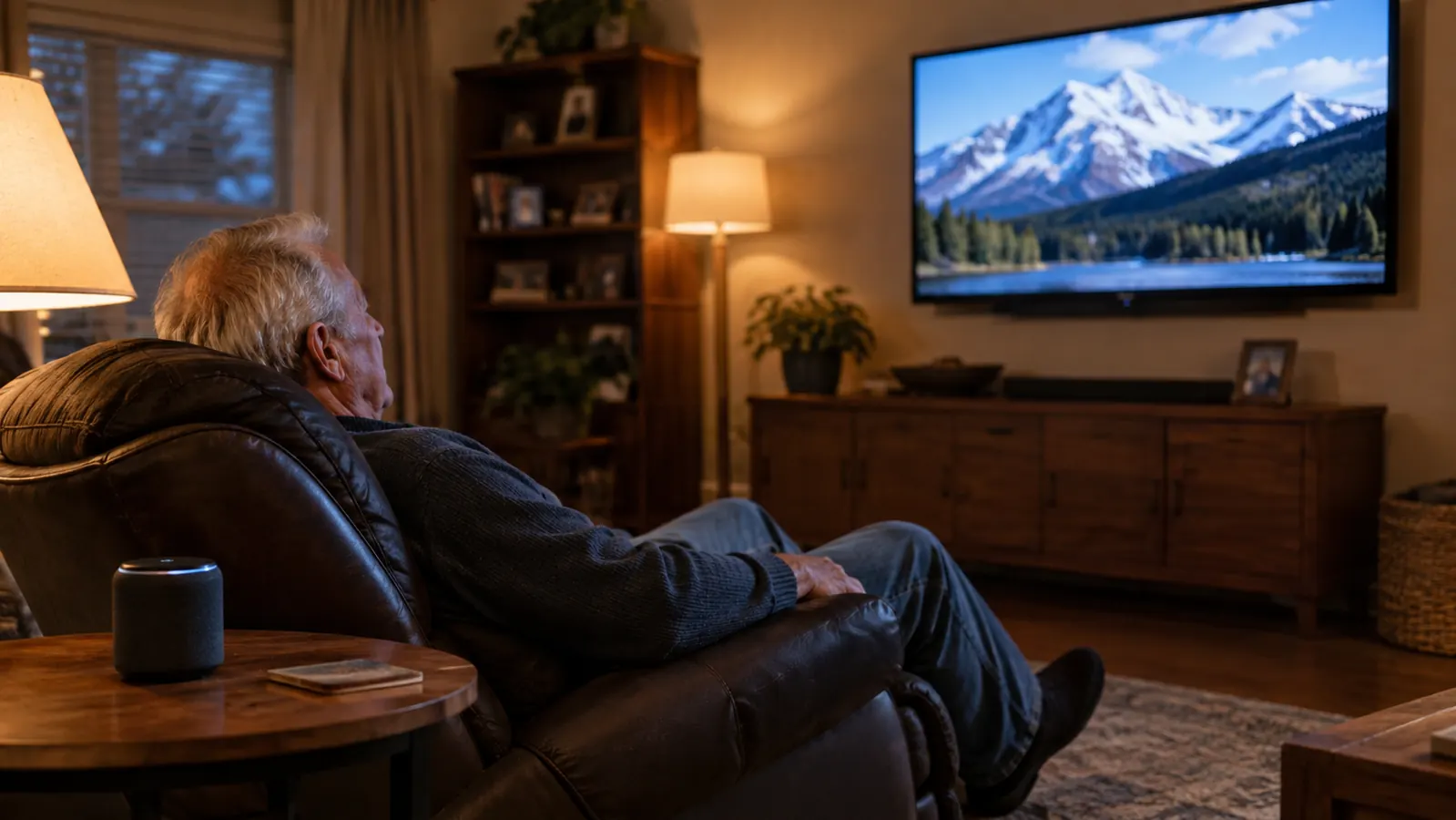
The problem was never the TV. It was the volume. Joanne could hear the evening news fine at level 18. I needed 28, and only if nobody was talking over the weather map. We went back and forth on that remote for a year before I admitted the obvious: the TV was not getting quieter, my ears were. That is when I stopped trying to win an argument with a volume button and started looking for a different way to hear the dialogue from my recliner.
I tried the things most people try first. Captions helped, but I missed half the game watching the bottom of the screen. Earbuds hurt after an hour and slid out when I leaned back. A set of big headphones worked for me and drove Joanne crazy, because she could not hear the TV at all while I wore them. The fix, for us, was a SIMOLIO wireless TV speaker that sits on the end table next to my chair. It pulls the sound from the TV and plays it three feet from my better ear, so the TV volume stays where Joanne likes it and I still catch every word. Here is how I set ours up, step by step.
Hear the dialogue without turning the TV into a stadium
A SIMOLIO wireless TV speaker puts the sound right next to your chair, so you can turn the TV down instead of up. No headphones, no earbuds, no captions on every show.
Amazon Check Today's Price on Amazon →What You Need Before You Start
Before I get into the steps, a few things worth knowing. You do not need to be handy. I spent 34 years as a lineman and I can wire just about anything, but this setup did not ask me to. The box comes with the speaker, the transmitter that sends the sound to it, the hookup cables, and the power adapters. If you can plug in a lamp, you can do this. The only thing you need to figure out first is what your TV has on the back for audio out.
The other thing to know is what this product does and does not do. It is not a hearing aid, and I am not going to pretend it is. It is a speaker that puts the TV sound closer to your ears. For my kind of loss, which is high-frequency and worse on the left, that is exactly what I needed. If you are struggling to hear people in conversation, not just the TV, go get a hearing test before you spend money on any gadget. I did, and knowing my audiogram made every setting below easier to understand.
Setting It Up, Step by Step
Step 1: Find the Audio Out on Your TV
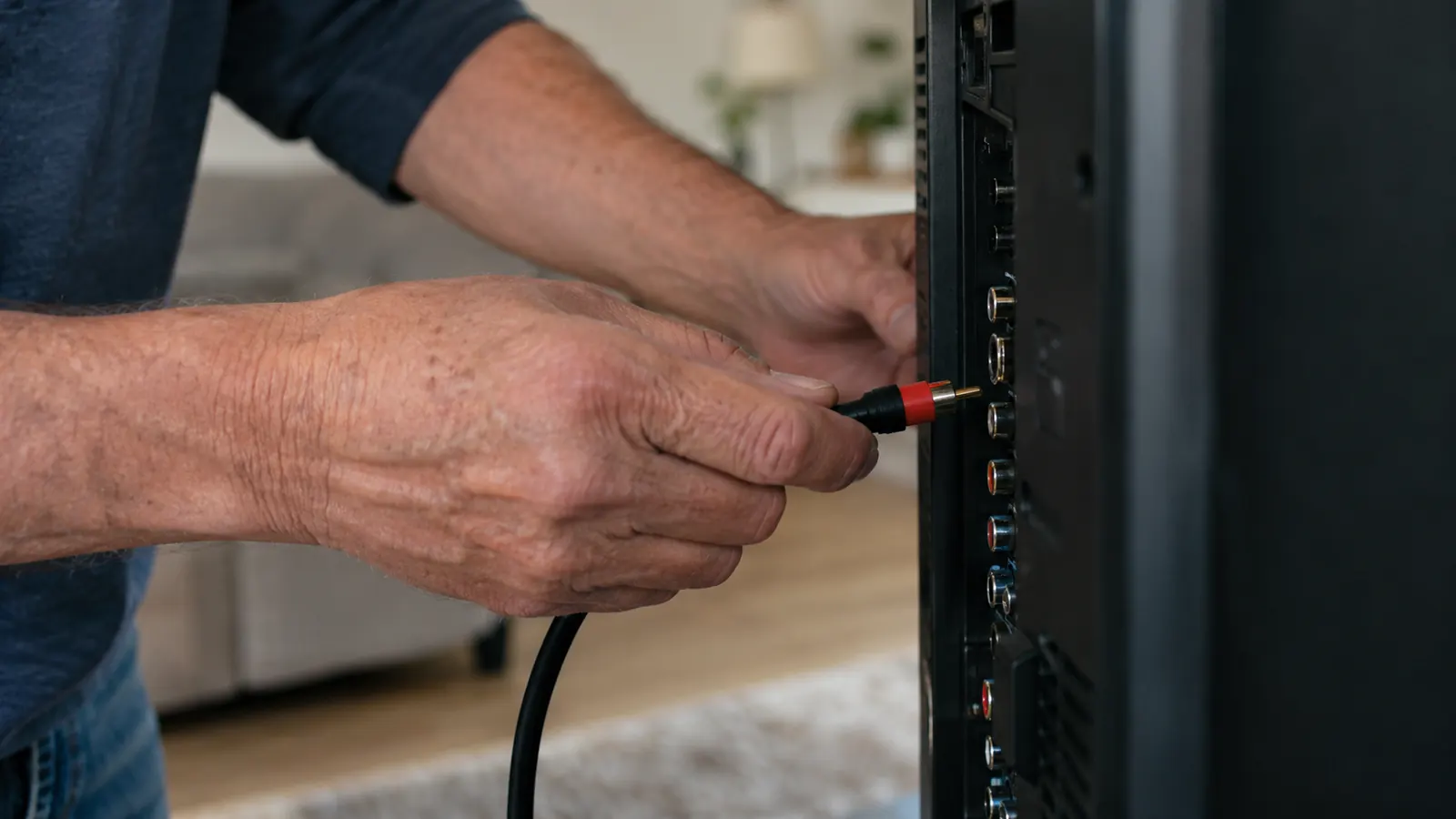
Every TV has a way to send sound out to something else. On ours, a 55-inch set in the living room, there is a headphone jack on the side and a pair of RCA jacks on the back, the red and white ones that have been on TVs since before I retired. Newer TVs might have an optical jack instead, the little square one, or a port labeled 'audio out'. The SIMOLIO transmitter works with the common hookups like RCA and a headphone jack, and the box includes the cables for them, so you do not have to buy anything extra.
If you are not sure what you are looking at, the manual that came with the TV will show a diagram, or you can search the model number online. It took me five minutes to confirm ours. The point of this step is simple: you need to know which jack you are plugging into before you open the speaker box, because the whole setup hangs on that one connection.
One note from experience. The headphone jack on a TV is the easiest option and works with the cable that comes in the box. On some TVs, plugging into it quiets the TV's own speakers. On ours it did not, and that turned out to be what we wanted: Joanne still hears the TV at her volume, and I hear the speaker at mine. If your TV does mute its speakers, you will balance both of you on the speaker volume in Step 4.
Step 2: Hook the Transmitter to the TV
With the TV off, I plugged one end of the cable into the headphone jack and the other end into the transmitter, then plugged the transmitter into power. That is the whole connection. There is no app and no network to join. The transmitter just listens to the TV and sends the sound to the speaker.
I set the transmitter on the shelf under the TV, out of sight. It is small, so it can sit behind a book or next to the cable box. The only thing to keep in mind is that it needs to stay plugged in, so put it somewhere the outlet is easy to reach.
Turn the TV back on and make sure you have sound moving through the transmitter before you move on. If you still hear the TV through its own speakers, do not worry. You will handle that balance in Step 4. The next step is where most of the benefit lives, and it is the one most people get wrong.
Step 3: Put the Speaker Where You Actually Sit
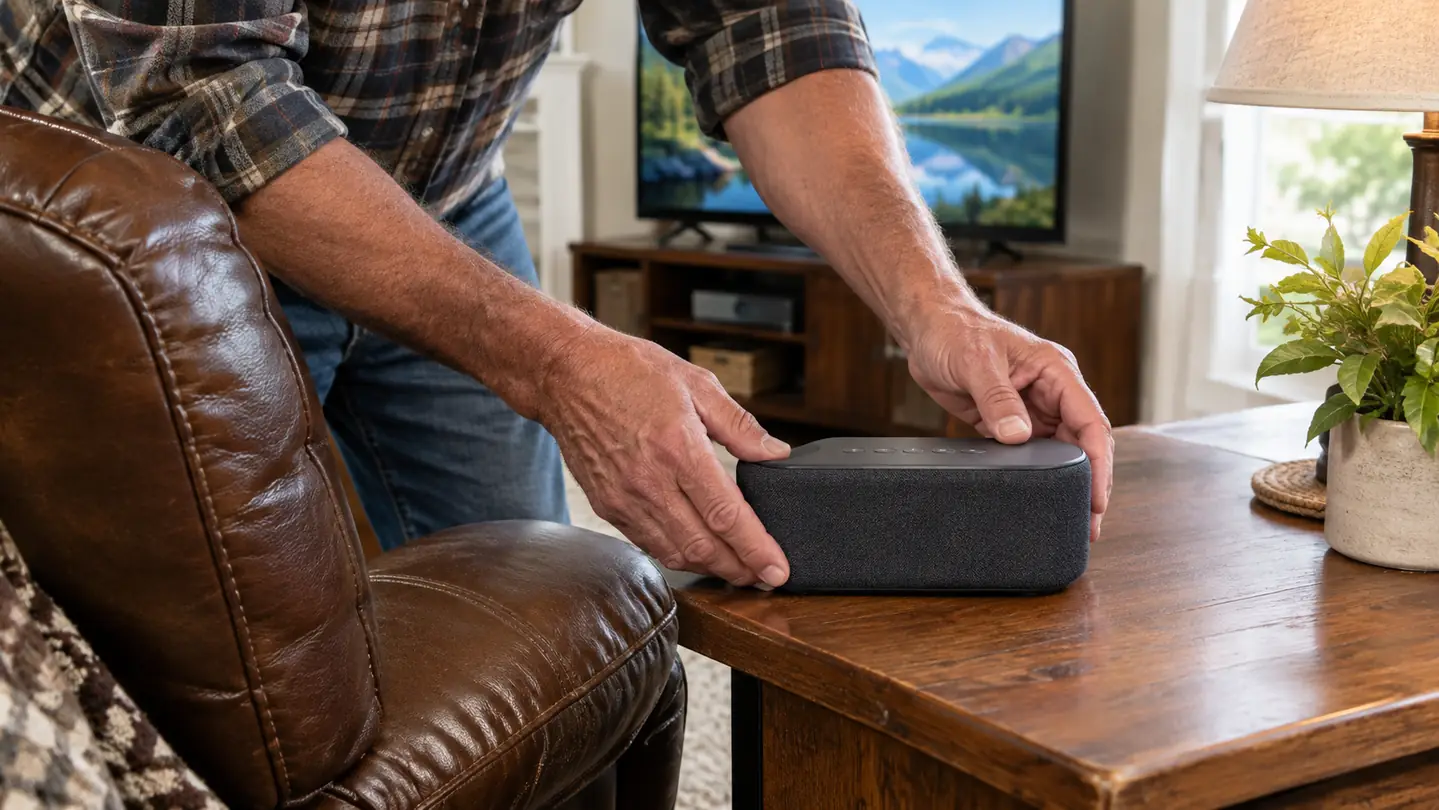
Here is the mistake I almost made. I set the speaker on the coffee table, because that looked tidy. Then I sat in my recliner, twelve feet from the TV, and the sound was better but still not great. The speaker needs to be close to you, not close to the TV. I moved it to the end table next to my chair, about three feet from my head, and the difference was night and day.
The reason is simple. My hearing loss is high-frequency, and high-frequency sounds are the first ones to fade over distance. The whole point of a wireless TV speaker is to shorten that distance. Twelve feet of living room was robbing me of the consonants. Three feet puts the dialogue right at my ear.
Aim the speaker toward your head, not straight out into the room. I angled ours slightly toward my chair so the sound pointed at me rather than out into the room. If you are the only one who needs it, put it on your side. If you and your spouse both want to hear it, set it between you on a table or the arm of the couch. The speaker is small enough to move around without any fuss.
Step 4: Balance the Volume for Two People
This is the step that saved my evenings. The goal is to have the TV volume low enough for Joanne and the speaker volume high enough for me. I set the TV to 14, which is where Joanne likes it, then turned the speaker up until I could hear every word of the news without leaning forward.
You will probably need to adjust this a few times over the first week. I did. The first night I set the speaker too loud and Joanne could hear both the TV and my speaker, which sounded like an echo. The second night I set it too quiet and I was back to asking her what the weatherman said. By the third night we had the balance right, and we have not touched it since.
If your TV has a headphone jack and the built-in speakers went quiet when you plugged in, the TV volume control now does nothing. Ours kept its speakers on, so we had two volume controls to balance. Either way, the idea is the same: set the room volume where the person with normal hearing wants it, then use the speaker's own volume for the person who needs it. Ours has a control on the speaker that is easy to find without looking, which matters more than you would think at 9 pm with the lights low.
Step 5: Test It With What You Actually Watch
The last step is the one most people skip, and it is the difference between hearing the TV and understanding it. Do not test the setup with a show you have seen ten times. Test it with the evening news, because news anchors talk fast and the weather map is where my ears always gave out. I sat down with the local news on the first night and adjusted the speaker until I caught every name and every number.
Then test it with the things you actually watch. I watch westerns and baseball. A western has long quiet stretches and sudden gunfire, so I set the volume for the dialogue, not the gunshots. Baseball has a low crowd rumble under the announcer, and that rumble is the kind of low-frequency sound my ears handle fine, so I had to resist turning the speaker up to match the excitement of a close game. The announcer's voice is what matters.
One more thing surprised me. The SIMOLIO speaker has Bluetooth, which I figured I would never use. Then Joanne started going to bed earlier than me, and I found I could pair the speaker with my tablet and watch a late ballgame at a volume that does not carry past my chair. If you have a spouse who likes quiet evenings, that feature earns its keep.
What Else Helps
A few things that made the setup work better, in no particular order. Captions are still on for the shows where the accents are thick, but now they are a backup instead of a necessity. I also moved my chair a foot closer to the TV, which sounds small but helps more than you would think. And I finally went to an audiologist and got my hearing checked properly, which I should have done years earlier. The speaker is a tool, not a cure, and knowing my actual hearing loss made it easier to set up.
If you are the spouse of someone who turns the TV up, here is what I would tell you. It is not stubbornness, and it is not that they are ignoring you. They genuinely cannot hear the dialogue, and turning the TV up is the only fix they know. A wireless TV speaker gives you both what you want: you get a reasonable volume, and they get to hear the show. That trade is worth having a conversation about.
And if you are on the fence about whether this counts as admitting you are getting older, I will save you the trouble. It does. So does wearing reading glasses. I do both now, and I watch the news without asking Joanne what was said, which beats pretending I heard it.
One thing I will not do is tell you this speaker will fix every listening problem. It will not. If your hearing loss has gotten to the point where you miss whole parts of a conversation, or the phone is hard to hear, that is a different conversation and it belongs in an audiologist's office. For me, the TV was the first place I noticed the loss, and the speaker is the thing that made the TV watchable again. Start there, and see how your ears do.
The night Joanne stopped asking me to turn it down, I knew the setup was right. She got her volume. I got my dialogue.
I realize this whole guide could be boiled down to three lines: put the speaker near your chair, set the TV volume for the person with normal hearing, and set the speaker volume for the person who needs it. Everything else is just fiddling. But fiddling is worth it, because the first time you hear a ballgame announcer without straining, you will wonder why you waited so long.
If this sounds like your living room, the whole setup is about twenty minutes of work, most of it spent finding the right jack on the back of the TV. No tools, no drilling, no running cables under the rug. If you can plug in a lamp, you can do this.
Twenty minutes from box to better dialogue
The SIMOLIO wireless TV speaker puts the sound next to your chair, not just louder in the room. It worked for my ears, and it can work for yours.
Amazon Check Today's Price on Amazon →